Driver Easy5.6.4.5551
Publisher Description
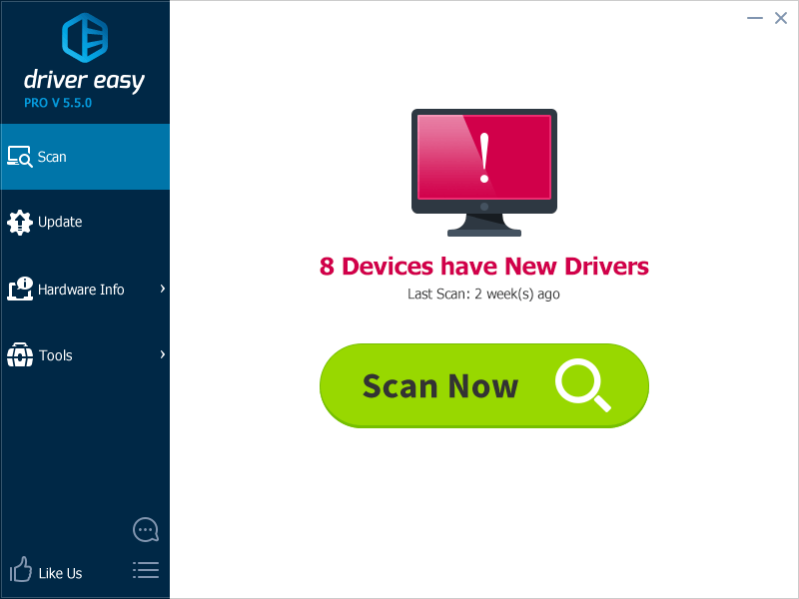
DriverEasy is a professional and powerful Windows PC driver tool helping you update drivers in a fast and easy way. Compatible with Windows XP, Vista, 7, 8 and 8.1, both the 32-bit and 64-bit version and supported by Huge Driver Database, the totally Free Driver Updater can automatically scan out update and missing drivers, download and install them at a high speed. Driver Easy is very easy to use, with the Highly-intuitive interface. Using Driver Easy Updater to keep all programs running smoothly and let your computer run at a peak performance.
Key features you never miss in Driver Easy:
Huge Driver Database Archive
You will get no chance to install out-of-date driver. Huge driver Database with Daily Driver Updates keeps all drivers in your computer up-to-date.
Safety Offline Scan
Save you much time and trouble in finding network drivers for the computer which has no internet access.
Drivers Backup Restore
An easy solution to avoid losing drivers even if a total system proceeds re-installation.
Driver Uninstall
Avoid Driver Conflicts and incompatibilities; Keep your computer clean and let computer run smoothly.
Fast Download Windows update
Work With the smart download server picker, Driver Easy lets you download and install windows update in a fast way.
About Driver Easy
This System Maintenance program is available in English, Arabic, Chinese, ChineseSimplified, Dutch, French, German, Hungarian, Italian, Korean, Portuguese, Spanish, Ukrainian. It was last updated on 29 September, 2026. Driver Easy is compatible with the following operating systems: Windows.
The company that develops Driver Easy is DriverEasy. The latest version released by its developer is 5.6.4.5551. This version was rated by 18 users of our site and has an average rating of 4.5.
The download we have available for Driver Easy has a file size of 3.1 MB. Just click the green Download button above to start the downloading process. The program is listed on our website since 2018-07-30 and was downloaded 9,559 times. We have already checked if the download link is safe, however for your own protection we recommend that you scan the downloaded software with your antivirus. Your antivirus may detect the Driver Easy as malware if the download link is broken.
How to install Driver Easy on your Windows device:
- Click on the Download button on our website. This will start the download from the website of the developer.
- Once the Driver Easy is downloaded click on it to start the setup process (assuming you are on a desktop computer).
- When the installation is finished you should be able to see and run the program.
Program Details
General
System requirements
Download information
Pricing
Version History
version 5.6.4.5551
posted on 2018-07-30
+ Added the Japanese customized version, including changing the purchase procedure and improving the Japanese translation
+ Added the Chinese translation
* Changed the default open page to the Driver Backup page when clicking the Tools tab
– Fixed some bugs
version 5.6.2.12777
posted on 2018-04-13
+ Added ‘How to Uninstall Driver Easy’ on the About page
* Simplified and improved the installation process
* Improved the Japanese and Czech translation
* Improved the security certified icons on the Update page
* Changed the icons next to the devices on the Update page
version 5.5.5.4057
posted on 2017-11-15
* Improves scan engine so it can identify the correct driver for the same hardware with different driver information
* Improves the Arabic and Dutch translation
* Slightly improves the category design in the Update screen
* Improves the stability of the download speed in the Free version
version 5.5.3.15599
posted on 2017-08-15
+ Redesigns single driver update process on free version
+ Adds single driver update instructions on the sidebar of the free version
* Updates certain translation in Danish and German
* Updates wordings in System Restore window
– Fixes some bugs
version 5.5.2.18358
posted on 2017-07-07
+ Rewrite scan engine to support Windows 10 new Driver detection technology
Read more details: https://www.drivereasy.com/driver-easy-5-5-2-supports-new-scan-technique
version 5.5.1.14322
posted on 2017-05-18
+ Redesigns UI for Hardware Info
+ Adapts to screen reader
+ Adds “Report Miss-detected Drivers” & “Improves Translation” link to menu list
* Updates German and Portuguese translations
* Improves driver scan server performance
* Improves create restore point logic...
version 5.5.0.5335
posted on 2017-03-27
+ Redesigns UI, now with flat design
+ Rewrites Driver Backup & Driver Restore features completely
* Improves Feedback feature
* Adds Get free Ultimate Fix Guidebook (Windows 10) by sharing
– Fixes many minor bugs
version 5.1.6.18378
posted on 2017-01-16
+ Add Japanese, Danish Language UI
+ Add “Help Us Improve” link
* Improved Hardware Information detection
– Fixed “File size has changed” & “The file is damaged” during download progress
– Fixed some minor bugs
